> ## Documentation Index
> Fetch the complete documentation index at: https://docs.endgame.io/llms.txt
> Use this file to discover all available pages before exploring further.
# Export Thread Content
> How to export chat thread responses
Thread content in Endgame can be exported in several common file formats.
## Export Tables
### Copy table as CSV
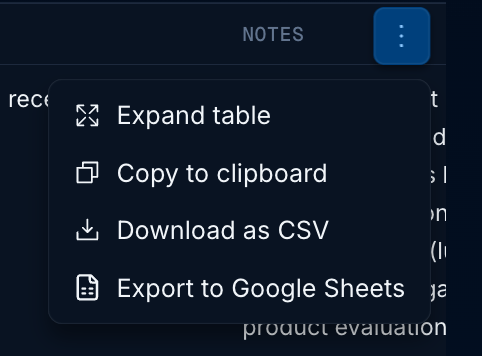
To copy table content in CSV format, hover over the desired table and select the "Copy table to clipboard" option. You can then paste the content directly into any spreadsheet application.
### Download table as CSV
To download table content as a CSV file, hover over the desired table and select the "Download table as CSV" option. The file will automatically download to your device.
### Export table to Google Sheets
To export directly to Google Sheets, hover over the desired table and select the "Export to Google Sheets" option. If you're already authenticated with Google, your table will automatically open in Sheets. Otherwise, you'll need to complete the Google authentication process before attempting to export again.
 ## Copy message content
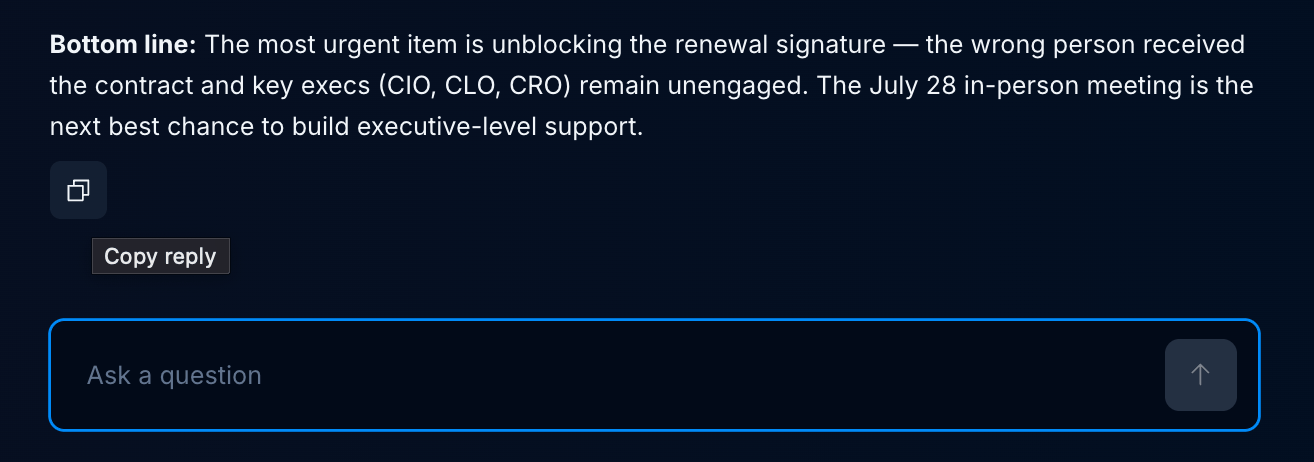
Additionally, you can copy message content directly to your clipboard for seamless integration into your workflow by clicking on the Copy message icon.
## Copy message content
Additionally, you can copy message content directly to your clipboard for seamless integration into your workflow by clicking on the Copy message icon.
 This documentation is built and hosted on [Mintlify](https://mintlify.com), a developer documentation platform.